GoHighLevel Math Operations: Calculating ROI and Lead Scores Inside Workflows
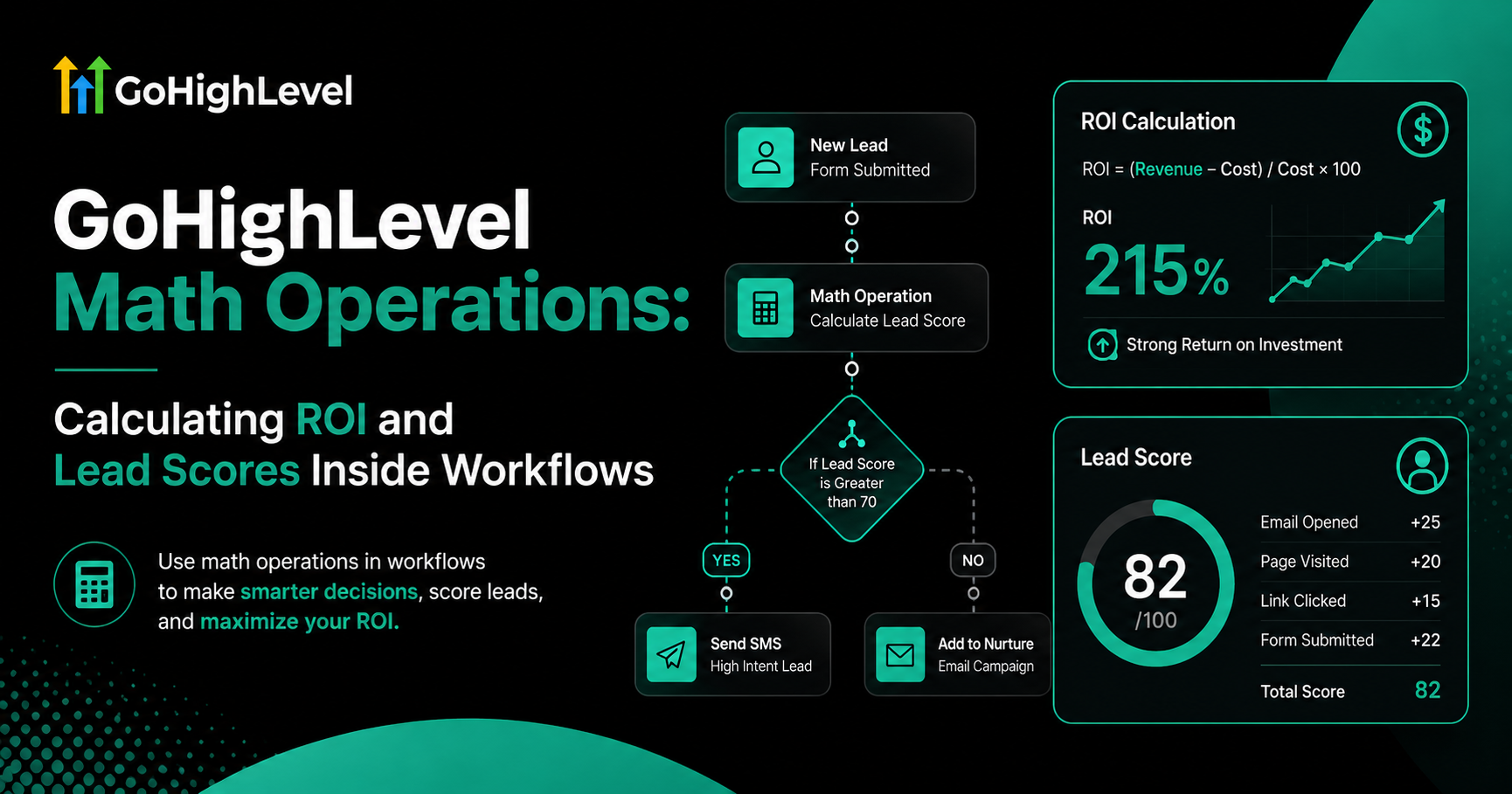
For years, CRM users had to export data to spreadsheets or use expensive third-party tools just to perform basic arithmetic. In 2026, that friction is gone. With GoHighLevel Math Operations, you can perform real-time calculations directly within your GoHighLevel workflow design.
Whether you need to calculate the ROI of a specific campaign, aggregate a lead score, or split commissions between partners, Math Operations allow you to transform raw data into actionable business intelligence.
What are Math Operations in GHL?
Math Operations are a workflow action that allows you to perform addition, subtraction, multiplication, and division using Custom Fields or static numbers. The result is then stored in another custom field for use in emails, SMS, or custom reporting dashboards.
Top 3 Strategic Use Cases
At GHLWorkflow, we implement math actions to help our clients move from “guessing” to “knowing.”
Advanced Lead Scoring
Instead of just tagging a lead, you can assign numerical value to their actions.
Real-Time ROI Calculation
Show your clients exactly how much money your GHL automation setup is making them.
Referral & Commission Tracking
Automate the payout math for your affiliates or sales reps.
How to Set Up a Math Action
Pro-Level Tips for Accuracy
Frequently Asked Questions (FAQ)
Can I do complex formulas (like BEDMAS)?
Currently, GHL math actions perform one operation at a time. For complex formulas, you will need to stack multiple math actions in a sequence within your workflow.
Does this work with Stripe data?
Yes. You can pull the “Payment Amount” from an order and use a math action to calculate tax or shipping costs before sending an invoice.
Can I use math to update “Smart Lists”?
Absolutely. Since math actions update custom fields, any Smart List based on those fields will update automatically as the numbers change.
Summary: The Data-Driven Agency
By mastering Math Operations, you turn GoHighLevel into more than just a communication tool—it becomes a financial and analytical powerhouse. This is the key to proving your worth to clients and scaling your GHL Master System with precision.